ElectronicsRanker
Menu
fanxiang S500 Pro vs INLAND Professional SSD Comparison

Comparison

fanxiang S500 Pro vs INLAND Professional SSD Comparison

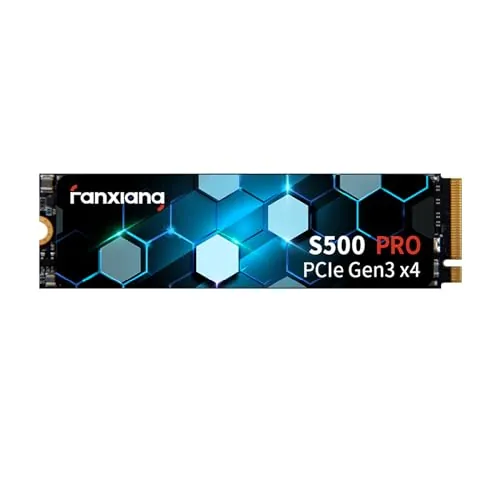
The fanxiang S500 Pro 512GB is a PCIe Gen3x4 NVMe M.2 drive built for much faster transfers and far more storage than the 120GB INLAND Professional SATA SSD. It is the better overall option for a compatible system, while the INLAND is the practical alternative for older computers that require a 2.5-inch SATA drive.

Expert tested Data driven Unbiased reviews Updated 2 August 2026
fanxiang S500 Pro 512GB NVMe SSD

#1 Overall Winner

fanxiang S500 Pro 512GB NVMe SSD

82/100
  • 512GB capacity provides substantially more room for an operating system, applications, games, and files.
View review
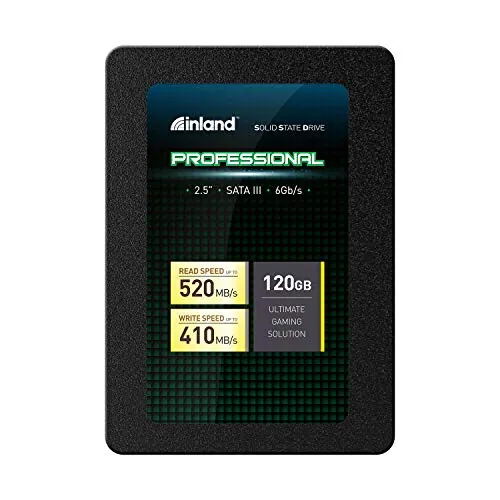
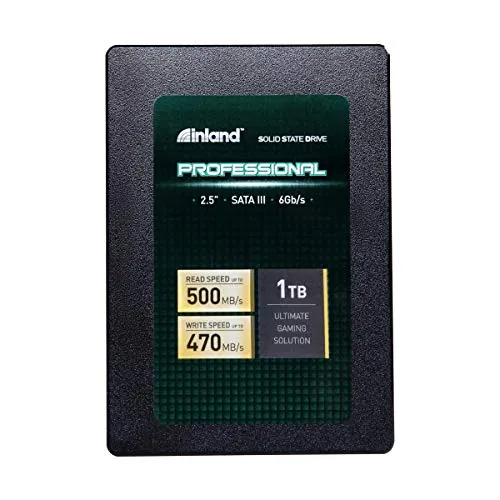
INLAND Professional 120GB SATA SSD

Contender

INLAND Professional 120GB SATA SSD

72/100
  • 2.5-inch SATA III format suits many older laptops and desktops that do not have an M.2 NVMe slot.
View review

Quick verdict

Choose the fanxiang S500 Pro for a compatible NVMe system, 512GB of storage, and much higher stated speed. Choose the INLAND Professional only when a 2.5-inch SATA drive is required and the intended workload is light enough for its 120GB capacity.

Overall winner

Depends on your needs

At-a-glance comparison

Feature fanxiang S500 Pro 512GB NVMe SSD INLAND Professional 120GB SATA SSD Winner

Drive type

M.2 2280 PCIe Gen3x4 NVMe

2.5-inch SATA III

Depends

Listed capacity

512GB

120GB

fanxiang S500 Pro 512GB NVMe SSD

Stated sequential read speed

Up to 3200MB/s

Up to 520MB/s

fanxiang S500 Pro 512GB NVMe SSD

Stated sequential write speed

Up to 1300MB/s

Up to 410MB/s

fanxiang S500 Pro 512GB NVMe SSD

Flash and cache details

3D TLC NAND with SLC cache

3D TLC NAND

fanxiang S500 Pro 512GB NVMe SSD

Endurance information

Up to 320TBW stated

Not stated for this 120GB listing

fanxiang S500 Pro 512GB NVMe SSD

Installation extras

Screw and screwdriver included

No extras listed

fanxiang S500 Pro 512GB NVMe SSD

Setup assessment

Higher supplied setup assessment

Positive but lower supplied setup assessment

fanxiang S500 Pro 512GB NVMe SSD

Reliability assessment

Higher supplied reliability assessment

Early-failure and recognition concerns reported

fanxiang S500 Pro 512GB NVMe SSD

Best system fit

NVMe-capable laptop or desktop

2.5-inch SATA laptop or desktop

Depends

Overall assessment

Higher supplied overall assessment

Lower supplied overall assessment

fanxiang S500 Pro 512GB NVMe SSD

Detailed comparison

Performance

The fanxiang S500 Pro leads performance decisively on the supplied specifications. Its PCIe Gen3x4 NVMe design lists up to 3200MB/s read and 1300MB/s write, compared with up to 520MB/s and 410MB/s for the SATA-based INLAND. That gives the fanxiang more potential for fast boots, game loading, program launches, and larger transfers. The INLAND can still be a substantial improvement over a mechanical hard drive, but it is aimed at basic SATA upgrades rather than high-throughput work.

Speed

The fanxiang has the stronger speed assessment and a clear stated-specification lead. Its up-to-3200MB/s read rating is over six times the INLAND’s up-to-520MB/s rating, while its stated write rating is also higher. Review feedback for both products mentions faster booting and responsiveness, but the fanxiang is the more capable option for workloads that benefit from NVMe transfer speed.

Reliability

Reliability is a caution area for both drives. fanxiang has the higher supplied reliability assessment, and several reviews describe stable operation after months of use, but there are reports of early failure and a drive that would not initialize. INLAND reviews include positive longer-term experiences, but also reports of failures within months, freezing, and Windows recognition issues. Back up important data with either product, particularly before relying on it as a primary drive.

fanxiang S500 Pro 512GB NVMe SSD

Pros

  • 512GB capacity provides substantially more room for an operating system, applications, games, and files.
  • PCIe Gen3x4 NVMe interface with stated sequential speeds up to 3200MB/s read and 1300MB/s write.
  • SLC cache, 3D TLC NAND, and a stated 320TBW endurance rating.
  • Graphite heat-dissipation stickers are included to help manage heat.
  • Includes mounting screws and a screwdriver for installation.
  • Strong buyer feedback for speed, installation ease, and everyday responsiveness.

Cons

  • Requires a compatible M.2 PCIe/NVMe slot; an M.2 slot alone does not guarantee NVMe support.
  • Reported compatibility is mixed across systems.
  • A small number of buyers report early failures or drives that would not initialize.
  • Its stated 1300MB/s write speed is lower than its stated read speed.
  • It is a Gen3 drive, so it does not target the throughput of newer Gen4 NVMe models.
fanxiang S500 Pro 512GB NVMe SSD

INLAND Professional 120GB SATA SSD

Pros

  • 2.5-inch SATA III format suits many older laptops and desktops that do not have an M.2 NVMe slot.
  • Stated sequential speeds up to 520MB/s read and 410MB/s write offer a major upgrade over a mechanical hard drive.
  • 3D TLC NAND construction with resistance to shock and vibration.
  • Simple choice for a basic operating-system boot drive or light everyday PC upgrade.
  • Reviews frequently describe straightforward installation and improved startup performance.
  • Both its listed warranty and customer feedback support its role as a budget-oriented SATA SSD.

Cons

  • 120GB capacity is restrictive for a modern Windows installation, applications, games, and personal files.
  • SATA III throughput is far below the fanxiang drive’s stated NVMe speeds.
  • Reviews indicate it is not intended for demanding or sustained write-heavy workloads.
  • Some customers report early failures, freezes, or drives not recognized by Windows 10.
  • Requires an available 2.5-inch bay and SATA data and power connections.
INLAND Professional 120GB SATA SSD

Final verdict

The fanxiang S500 Pro is the best overall option in this comparison for a compatible computer. It has the higher supplied overall assessment, more than four times the storage capacity, and a major advantage in stated NVMe read and write speeds. Its SLC cache, listed endurance rating, heat-dissipation stickers, and included installation hardware further strengthen its case as an everyday internal upgrade.

The INLAND Professional remains a reasonable alternative when NVMe is not an option. A 2.5-inch SATA drive can be exactly what an older laptop or desktop needs, and its stated speeds should still make a mechanical-hard-drive system feel faster. Yet the 120GB capacity is limiting, and the supplied feedback suggests avoiding it for demanding write-intensive use. Whichever drive you choose, confirm compatibility first and maintain reliable backups.

Overall winner

Depends on your needs

Frequently asked questions

<p>Which is better overall: the fanxiang S500 Pro or INLAND Professional SSD?</p>

The fanxiang S500 Pro is the stronger overall choice in the supplied scoring, particularly for performance, speed, setup, value, and customer satisfaction. It also provides 512GB rather than 120GB. However, it only makes sense if the computer supports an M.2 PCIe NVMe drive. The INLAND remains relevant for systems that need a 2.5-inch SATA SSD.

<p>Which SSD is faster?</p>

The fanxiang S500 Pro has the clear speed advantage on its stated specifications. It lists up to 3200MB/s read and 1300MB/s write through PCIe Gen3x4 NVMe, while the INLAND lists up to 520MB/s read and 410MB/s write through SATA III. Actual results can vary with the host system, configuration, and workload.

<p>Does the fanxiang S500 Pro have more storage than the INLAND Professional SSD?</p>

Yes. The compared fanxiang model has 512GB of listed capacity, while the INLAND model has 120GB. That difference matters for a primary drive: 512GB leaves substantially more room for an operating system, programs, games, updates, and personal files. The 120GB INLAND is better suited to a limited boot-drive or light-use role.

<p>Which drive is easier to install?</p>

Both products receive positive setup feedback, but their physical requirements differ. The fanxiang is an M.2 2280 NVMe drive and includes screws and a screwdriver. The INLAND is a 2.5-inch SATA drive that needs the appropriate SATA data and power connections. Choose based on the slot or bay available in the computer rather than installation score alone.

<p>Which SSD is better for an older laptop?</p>

The INLAND Professional can be the better fit for an older laptop if it has a 2.5-inch SATA drive bay but no compatible M.2 NVMe slot. It is designed as a SATA III replacement drive and reviews note faster startup performance after upgrades. Check the laptop’s drive thickness, bay, SATA connections, and required storage capacity before purchasing.

<p>Which SSD is better for games and larger files?</p>

For a compatible NVMe-equipped computer, the fanxiang S500 Pro is the more suitable option. Its 512GB capacity and much higher stated transfer speeds give it more practical headroom for games and larger files. The INLAND’s 120GB capacity is restrictive, and review feedback indicates it is intended more for light consumer use than demanding, write-intensive work.

<p>Are either of these SSDs a reliability risk?</p>

Both product datasets include some reliability cautions. A small number of fanxiang buyers report early failure or initialization problems, while INLAND feedback includes early failures, freezing, and recognition issues in some cases. The fanxiang has the higher supplied reliability assessment, but important files should be backed up regardless of which drive is chosen.

<p>Do both SSDs have the same warranty coverage?</p>

Both listings state a three-year term. fanxiang describes this as a three-year quality-assurance service, while INLAND lists a three-year limited parts and labor warranty. The supplied information does not provide full claims procedures or exclusions, so buyers should confirm the current seller and manufacturer terms before purchase.

Related comparisons

Still not sure which one to choose?

Check our rankings and expert guides to find the best electronics products for your goals.

View all rankings