#1 Overall Winner
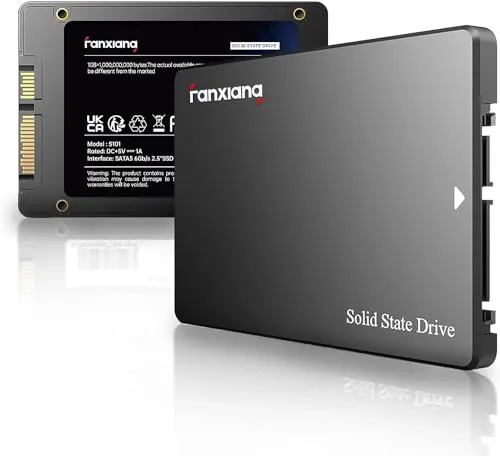
fanxiang S101 512GB SATA SSD
- 512GB capacity for an operating-system upgrade or everyday files.
Comparison
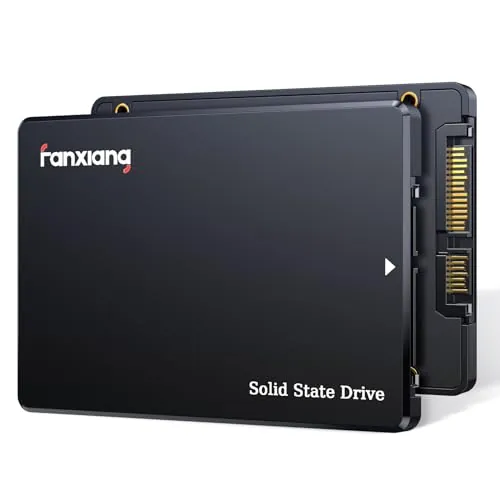
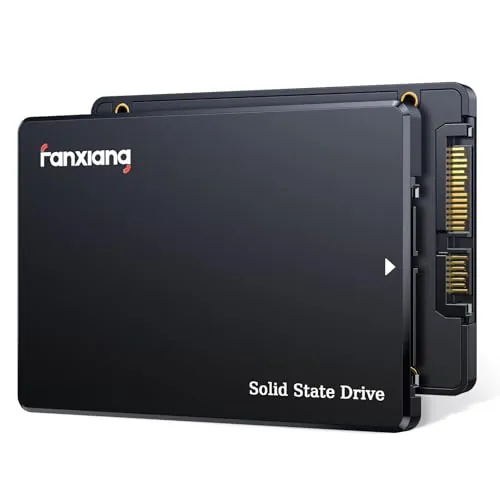
The fanxiang S101 512GB and S101Q 4TB are both 2.5-inch SATA SSDs for upgrading compatible computers from hard drives. The S101 is the more value-oriented, slightly faster-rated option for a standard boot-drive upgrade, while the S101Q is for buyers who need much more capacity and a broader listed feature set. Both require caution because review feedback on reliability and compatibility is mixed.
#1 Overall Winner
Contender
Choose the fanxiang S101 512GB for a lower-capacity SATA boot-drive upgrade with stronger supplied speed and value scores. Choose the fanxiang S101Q 4TB if you need its much larger capacity and wider listed feature set, but verify operation thoroughly and keep backups for important files.
Overall winner
Depends on your needs
| Feature | fanxiang S101 512GB SATA SSD | fanxiang S101Q 4TB SATA SSD | Winner |
|---|---|---|---|
| Capacity | 512GB |
4TB |
fanxiang S101Q 4TB SATA SSD |
| Listed read speed | Up to 550MB/s |
Up to 500MB/s |
fanxiang S101 512GB SATA SSD |
| Listed write speed | 500MB/s stated in details |
Up to 470MB/s |
fanxiang S101 512GB SATA SSD |
| Form factor | 2.5-inch, 0.28-inch thick |
2.5-inch, 0.28-inch thick |
Tie |
| Interface | SATA 6Gb/s |
SATA III 6Gb/s; backward compatible with SATA II and SATA |
fanxiang S101Q 4TB SATA SSD |
| Listed flash or cache | 3D NAND TLC |
3D NAND with SLC cache |
Depends |
| Listed drive-management features | Not specified |
TRIM, S.M.A.R.T., ECC, RAID, garbage collection, wear leveling |
fanxiang S101Q 4TB SATA SSD |
| Setup score | 78 |
88 |
fanxiang S101Q 4TB SATA SSD |
| Speed score | 83 |
78 |
fanxiang S101 512GB SATA SSD |
| Reliability score | 52 |
58 |
fanxiang S101Q 4TB SATA SSD |
| Value score | 81 |
77 |
fanxiang S101 512GB SATA SSD |
| Warranty or service | 3-year quality assurance |
3-year after-sales service and lifetime technical support |
fanxiang S101Q 4TB SATA SSD |
Both drives are intended to deliver the responsiveness benefits of SATA SSD storage over a hard drive. The S101 has the higher performance score and a slightly higher listed maximum read speed, while reviews describe quicker boots and faster transfers. The S101Q has a lower performance score but offers a listed 470MB/s write speed and SLC cache. For routine boot-drive use, the S101 has the edge on the supplied speed data; for capacity-heavy work, the S101Q’s 4TB space may matter more than its small speed deficit.
The fanxiang S101 leads on the supplied speed score and lists read performance up to 550MB/s. The S101Q lists up to 500MB/s read and 470MB/s write, which remains in the expected SATA SSD range. Both should offer a major speed improvement over an HDD in compatible systems, as reflected in review comments about faster booting and loading. Do not treat the small listed difference as a guarantee of identical results across computers, adapters, or workloads.
The S101Q has a modestly higher reliability score, but neither product has unqualified reliability feedback. S101 buyers report both successful use and failures or recognition issues. For the S101Q, many reviews are positive, yet one detailed 4TB review alleges changing reported capacity, drive disappearances, reinitialization, and unstable writes after partial filling. This evidence does not establish every drive will behave this way, but it makes backups, validation, and cautious use of irreplaceable data especially important.
Both products receive positive feedback for straightforward HDD replacement and improved day-to-day computer use. The S101Q has the higher usability score, and several reviews describe a simple drop-in installation. The S101 also scores well and has many reports of easy installation, but some users encountered cloning, formatting, or drive-recognition problems. Whichever drive you choose, initializing, formatting, cloning, or BIOS configuration may be required depending on the system and installation method.
Both are compact 2.5-inch internal SATA SSDs with a 0.28-inch thickness, so each is designed to fit conventional laptop and desktop SATA drive bays. The S101Q has the higher design score and is slightly lighter in the supplied specifications, but the practical difference is small once installed. Capacity is the meaningful design distinction: the S101 is a standard 512GB upgrade, whereas the S101Q puts 4TB in the same broadly similar form factor.
The S101Q has the higher build-quality score, and reviewers describe it as well-made or durable. Its listing also claims shock resistance. The S101 uses an ABS+PC enclosure and is described by some reviewers as cool and quiet in use, but it has a lower build-quality score. Hardware feel is secondary to long-term storage behavior here, and the mixed reliability feedback for both models remains more important than their basic 2.5-inch casings.
The S101Q scores higher for durability and claims shock resistance, while its listing also names wear leveling and ECC among its technologies. The S101’s 3D NAND TLC claim is presented as a durability advantage relative to QLC, and it carries 3-year quality assurance. Long-term confidence is constrained for both products by mixed review reliability reports. Neither should be the sole location for critical files without a separate backup strategy.
Both drives are compact 2.5-inch units suitable for internal installation and potentially portable external storage when paired with a separate enclosure. The S101Q has the higher portability score and a listed weight of 38 grams, while the S101 is listed at 0.13 pounds. The difference is unlikely to matter inside a computer. For travel or external use, the required enclosure, cable, and host compatibility will matter more than the bare-drive dimensions.
The S101Q has the stronger listed feature set. It specifies SLC cache and support for garbage collection, advanced wear leveling, RAID, ECC, TRIM, and S.M.A.R.T., while also claiming shock resistance and backward SATA compatibility. The S101’s principal stated technology is 3D NAND TLC, which its listing links to write lifespan compared with QLC. The S101Q is the better fit for buyers prioritizing explicitly listed management features; the S101 is simpler and has a clearer flash-type claim in the supplied information.
The S101Q has the higher setup score, with reviews mentioning clear instructions, simple installation, and quick system installation after replacing a hard drive. The S101 is also broadly easy to install according to buyers, but its feedback includes more reports of cloning or detection friction. A clean operating-system installation may be simpler than cloning for some users, but the supplied data does not establish one method as universally better. Confirm your computer’s physical bay and SATA connection before ordering.
The S101Q is stronger on the supplied compatibility assessment and explicitly supports SATA III with backward compatibility to SATA II and SATA, as well as Windows, Linux, and Mac OS. The S101 is also listed for desktops, laptops, all-in-one PCs, Windows, Linux, and Mac OS, plus gaming consoles in its specifications. In practice, both require the right 2.5-inch SATA interface, and review reports show that adapters, formatting, BIOS settings, and host hardware can affect recognition.
Both drives connect through SATA 6Gb/s and are intended for internal use in compatible laptops and desktops. The S101Q scores higher for connectivity because it explicitly states compatibility with SATA III, SATA II, and SATA interfaces. Both listings state support for Windows, Linux, and Mac OS, although the S101 has reports of systems or adapters not fully recognizing the drive. For external use, the enclosure or SATA-to-USB adapter can affect detection and performance.
The S101 holds a slightly higher power-efficiency score, and reviews describe it as cool and quiet. The S101Q has a close score and is also a solid-state drive without moving parts. Neither listing provides measured power-draw or standby figures, so there is not enough data to predict a meaningful battery-life difference in a laptop. For most buyers, capacity, reliability feedback, and compatibility are more decisive than this small score gap.
The S101 has the higher value score and is the more proportionate choice when 512GB covers your needs. Its reviews frequently frame it as a cost-effective way to replace an HDD. The S101Q offers eight times the capacity and more listed maintenance features, which can justify its higher supplied price for users with genuine high-capacity needs. However, its value case is weakened by the reported 4TB reliability concern, so capacity alone should not decide the purchase.
Both products are from fanxiang, so there is no brand-versus-brand distinction. The S101Q receives a slightly higher brand-trust score in the supplied assessment, but both scores are modest. Buyer confidence should therefore come primarily from the individual listing details, the stated 3-year coverage, review patterns, return terms available at purchase, and a plan to back up data rather than an assumption of stronger brand reassurance.
Both drives have a supplied 4.5-star rating and identical customer-satisfaction scores. The S101 has a much larger review count, with frequent praise for value, quick booting, and simple installation, alongside mixed reliability and recognition comments. S101Q reviewers likewise praise capacity, speed, build, and installation, but the supplied 4TB feedback contains a detailed negative report about capacity and stability. The headline ratings are similar; the risk context is not identical.
The S101 lists a 3-year quality assurance. The S101Q lists 3 years of after-sales service plus lifetime technical support, giving it a modest edge in the supplied warranty-support score. Still, one S101Q review notes uncertainty about warranty messaging, including a difference between an expected five-year claim and the listed three-year coverage. Before buying either drive, check the current listing and seller terms for the exact coverage and return process.
The fanxiang S101Q 4TB is the narrow overall winner in the supplied scoring because it combines vastly greater capacity with stronger feature, setup, compatibility, build, and support results. It is the logical option for a buyer who truly needs 4TB in a 2.5-inch SATA format and is prepared to test the drive and maintain backups. Its detailed negative 4TB review, however, is too significant to ignore for critical or irreplaceable data.
For most straightforward HDD-to-SSD upgrades, the fanxiang S101 512GB is the more balanced recommendation. It has higher speed and value scores, a slightly higher listed read figure, TLC flash specified in its listing, and a much lower supplied price. It also has mixed reliability and compatibility feedback, so it should be installed only in a confirmed SATA-compatible system and used with a sensible backup plan.
Overall winner
Depends on your needs
The S101Q 4TB has the slightly higher overall score and offers far more storage plus a broader listed feature set. However, the S101 512GB has a higher speed score, a slightly higher value score, and clearer TLC flash specification. The better choice depends on whether large capacity or a smaller everyday upgrade is the priority.
Both are 2.5-inch SATA drives designed for compatible laptops and can make an older HDD-based system feel more responsive. The S101 512GB is the more focused choice for a basic operating-system and application upgrade. Choose the S101Q only if the laptop supports 2.5-inch SATA storage and you genuinely need its much larger capacity.
On the supplied specifications, the S101 lists a read speed up to 550MB/s, while the S101Q lists up to 500MB/s read and 470MB/s write. These are SATA-class figures, and real-world results can depend on the computer, files, available space, enclosure or adapter, and configuration.
The S101Q is the practical option for a large media collection because it provides 4TB rather than 512GB. A reviewer also reported using a lower-capacity variant externally for movies and music. Still, the supplied 4TB review data includes a serious negative report about capacity and stability, so maintain backups and verify the drive after installation.
Review feedback for both products is generally positive about installation. S101 buyers describe simple desktop installation and faster booting, while S101Q buyers mention straightforward setup and drop-in replacement use. Recognition and cloning issues are also reported, particularly in some S101 feedback, so confirm the SATA interface, form factor, BIOS settings, and drive initialization steps first.
The S101 512GB has the higher supplied value score and many reviewers praise its budget-upgrade role. The S101Q delivers much more capacity and additional listed management features, but its supplied price is substantially higher and its 4TB reliability feedback deserves caution. Value therefore depends on whether you need 4TB and can validate the drive for your workload.
Neither drive has uniformly positive reliability feedback. The S101 has mixed reports of continued operation, failure, detection issues, and cloning friction. The S101Q scores modestly higher for reliability, but one detailed 4TB review alleges major capacity and stability problems. For either model, keep current backups and avoid relying on a single drive for irreplaceable data.
Both listings state compatibility with Windows, Linux, and Mac OS, subject to having a compatible SATA connection and 2.5-inch installation path. The S101Q additionally states backward compatibility with SATA II and SATA. Because reviews mention occasional recognition issues, verify the host device, cabling or enclosure, and required formatting before moving important files.
Check our rankings and expert guides to find the best electronics products for your goals.