ElectronicsRanker
Menu
Kingston Q500 240GB vs Kingston A400 120GB: Which SATA SSD Should You Buy?

Comparison

Kingston Q500 240GB vs Kingston A400 120GB: Which SATA SSD Should You Buy?

The Kingston Q500 240GB and Kingston A400 120GB are affordable 2.5-inch SATA SSDs designed to replace slower mechanical hard drives. The Q500 is the better all-round option for buyers who need more capacity and stronger reliability confidence, while the A400 is a compelling lower-cost OS-drive choice with strong setup, speed, and value results.

Expert tested Data driven Unbiased reviews Updated 2 August 2026
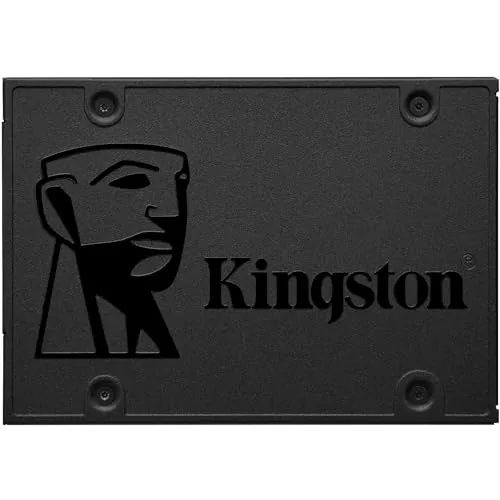
Kingston 240GB Q500 SATA3 2.5 SSD

#1 Overall Winner

Kingston 240GB Q500 SATA3 2.5 SSD

86/100
  • 240GB capacity provides twice the storage of the 120GB A400 in this comparison.
View review
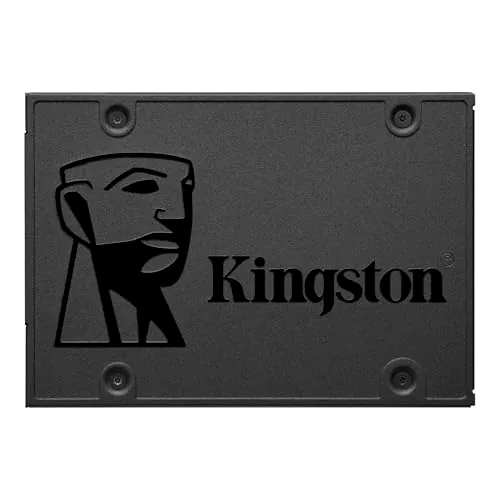
Kingston 120GB A400 SATA 3 2.5 Internal SSD

Contender

Kingston 120GB A400 SATA 3 2.5 Internal SSD

85/100
  • Up to 500MB/s read and 450MB/s write specifications support quick boot and load times.
View review

Quick verdict

Choose the Q500 240GB for more usable storage and stronger reliability confidence. Choose the A400 120GB for a budget OS-drive upgrade in a light-use desktop or laptop, provided 120GB is enough and you are comfortable with the mixed long-term reliability feedback.

Overall winner

Depends on your needs

At-a-glance comparison

Feature Kingston 240GB Q500 SATA3 2.5 SSD Kingston 120GB A400 SATA 3 2.5 Internal SSD Winner
Capacity 240GB 120GB Kingston 240GB Q500 SATA3 2.5 SSD
Form factor 2.5-inch SATA 2.5-inch SATA Tie
Maximum listed read speed 500MB/s 500MB/s Tie
Listed write speed Not consistently listed in main specifications Up to 450MB/s Kingston 120GB A400 SATA 3 2.5 Internal SSD
Overall result Higher supplied overall result Slightly lower supplied overall result Kingston 240GB Q500 SATA3 2.5 SSD
Speed Strong supplied speed result Higher supplied speed result Kingston 120GB A400 SATA 3 2.5 Internal SSD
Reliability Stronger supplied reliability result Lower result; some early-failure reports Kingston 240GB Q500 SATA3 2.5 SSD
Setup and usability Straightforward SATA installation Higher supplied setup and usability results Kingston 120GB A400 SATA 3 2.5 Internal SSD
Compatibility PC, laptop, listed gaming-console use Desktop and laptop Kingston 240GB Q500 SATA3 2.5 SSD
Customer feedback 4.6/5 from 9,746 reviews 4.7/5 from 28,572 reviews Kingston 120GB A400 SATA 3 2.5 Internal SSD
Value More capacity and strong reliability Lower listed price and higher value result Depends
Listed price 63.38 31.36 Kingston 120GB A400 SATA 3 2.5 Internal SSD

Detailed comparison

Performance

Both drives are designed to make systems feel substantially more responsive than they would with a mechanical hard drive, and both list up to 500MB/s read speed. The A400 has the higher supplied performance and speed results and specifies up to 450MB/s write speed, supported by reviews that mention fast booting and loading. The Q500 remains a strong everyday SATA performer, with feedback describing fast, stable operation. For sustained or demanding storage work, neither should be treated as a substitute for a higher-tier NVMe drive.

Speed

The A400 leads on the supplied speed result. It specifies up to 500MB/s read and 450MB/s write, and customer feedback frequently notes much faster boot and load times after replacing a hard drive. The Q500 also lists up to 500MB/s read and earns a strong speed result, making it suitable for everyday SATA upgrades. The difference is not a reason to overlook capacity: the Q500's 240GB is much more accommodating than the A400's 120GB.

Reliability

The Q500 is the clearer choice for reliability based on the supplied results. Its reliability assessment is much stronger, and review feedback emphasizes stable use over time. The A400 has many satisfied owners and a very large positive review base, but the aggregated review summary identifies reports of drives failing in less than six months. Those reports do not mean every A400 will fail, but they are a relevant consideration for important data or longer-term use.

Kingston 240GB Q500 SATA3 2.5 SSD

Pros

  • 240GB capacity provides twice the storage of the 120GB A400 in this comparison.
  • Rated read speed of up to 500MB/s for a SATA SSD upgrade.
  • Strong reliability score and review feedback describing stable everyday operation.
  • TLC storage is specified for the Q500.
  • Shock-resistant 2.5-inch design suits laptop and desktop upgrades.
  • Compatible with PCs, laptops, and listed gaming-console use.

Cons

  • 240GB can be limiting for a large game library or extensive media storage.
  • It is a SATA SSD, so it is not positioned as an NVMe-class upgrade.
  • Review feedback notes that DRAM-less operation can be slower during large small-file transfers.
  • Its supplied feature score is modest, reflecting a basic storage-focused design.
  • Installation hardware such as screws is not confirmed as included.
Kingston 240GB Q500 SATA3 2.5 SSD

Kingston 120GB A400 SATA 3 2.5 Internal SSD

Pros

  • Up to 500MB/s read and 450MB/s write specifications support quick boot and load times.
  • Strong usability and setup results, with many reviews reporting straightforward installation.
  • Higher speed and value scores in the supplied comparison data.
  • Very large review base with a 4.7/5 average rating.
  • Compact 2.5-inch SATA format is designed for desktop and laptop upgrades.
  • Listed price is substantially lower than the Q500.

Cons

  • 120GB capacity is best reserved for an operating system and essential applications.
  • Some customer feedback reports drives failing in under six months, reducing reliability confidence.
  • It is a basic SATA drive rather than a higher-end NVMe solution.
  • Packaging includes the drive only according to review feedback; cables and screws are not confirmed as included.
  • Its listed compatibility is focused on desktops and laptops, while the Q500 also lists gaming-console use.
Kingston 120GB A400 SATA 3 2.5 Internal SSD

Final verdict

The Kingston Q500 240GB is the best overall option in this comparison. It has a slightly stronger supplied overall result, twice the capacity of the A400, and a substantial advantage in supplied reliability confidence. Those benefits make it a more balanced choice for most people upgrading an older laptop, desktop, or compatible system with a SATA SSD.

The Kingston A400 120GB remains a sensible alternative for a tightly budgeted operating-system upgrade. It has a lower listed price, excellent setup and usability feedback, strong speed results, and an exceptionally large base of positive customer reviews. However, 120GB fills quickly, and the supplied review summary includes early-failure reports. Pick the A400 only when your storage needs are genuinely light; otherwise, the Q500's additional capacity and stronger reliability profile justify choosing it.

Overall winner

Depends on your needs

Frequently asked questions

Which is better overall: the Kingston Q500 240GB or Kingston A400 120GB?

The Kingston Q500 240GB is the stronger overall choice in the supplied scoring because it combines a slightly higher overall result with much stronger reliability results and twice the capacity. The Kingston A400 120GB remains compelling for a lower-cost, basic OS-drive upgrade, especially where its easier setup and stronger value results matter most.

Does the Kingston Q500 have more storage than the Kingston A400?

Yes. The Q500 in this comparison provides 240GB, while the A400 provides 120GB. That extra space makes the Q500 more practical for an operating system, applications, updates, documents, and a modest amount of additional local storage. The A400 is more restrictive and is best suited to essential software or cloud-focused use.

Which SSD is faster?

Both drives list read speeds of up to 500MB/s, so their headline SATA read specification is the same. The A400 has a higher supplied speed result and specifies up to 450MB/s write speed. However, either drive is aimed at a conventional SATA upgrade rather than the higher performance tier associated with NVMe storage.

Which Kingston SSD is better for an old laptop?

Both can be suitable if the laptop accepts a 2.5-inch SATA drive. Choose the Q500 240GB when the laptop needs more breathing room for applications and local files. Choose the A400 120GB for a low-cost operating-system upgrade where storage needs are minimal. Check the laptop's drive bay, SATA connection, and mounting hardware before ordering.

Which drive is more reliable according to the supplied data?

The Q500 has the stronger supplied reliability and durability results, and its review summary emphasizes stable everyday use. The A400 receives extensive positive feedback for performance and successful installation, but its aggregated review data also includes reports of failures within six months. That makes the Q500 the more cautious choice when reliability is the primary deciding factor.

Which SSD is easier to install?

The A400 leads in the supplied usability and setup results. Reviews frequently describe it as working out of the box and being easy to install or migrate to. The Q500 is also a standard internal 2.5-inch SATA drive and has positive everyday-upgrade feedback, but buyers should verify whether their system already has the required SATA cable, bracket, and screws.

Is 120GB enough for a Windows boot drive?

It can be enough for an operating system and essential applications, particularly on a cloud-based or light-use computer. However, the provided feedback identifies 120GB as a limited capacity. Users who keep games, large applications, media, or many files locally will generally find the Q500's 240GB capacity more practical.

Which SSD offers better value?

The A400 has a higher supplied value result and a lower listed price, making it attractive for a basic, small-capacity upgrade. Value is not only about initial cost, though: the Q500 supplies double the capacity and stronger reliability results. The better value therefore depends on whether the buyer can work comfortably within 120GB and accepts the A400's reliability trade-off.

Related comparisons

Still not sure which one to choose?

Check our rankings and expert guides to find the best electronics products for your goals.

View all rankings