#1 Overall Winner
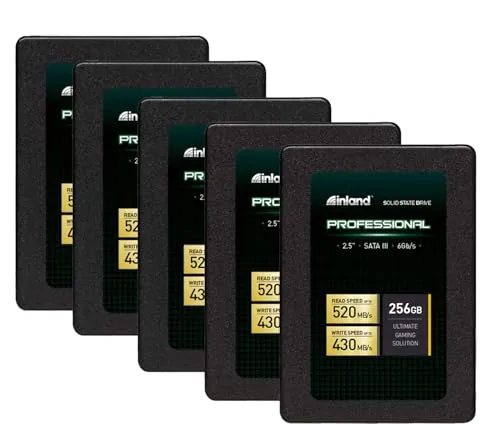
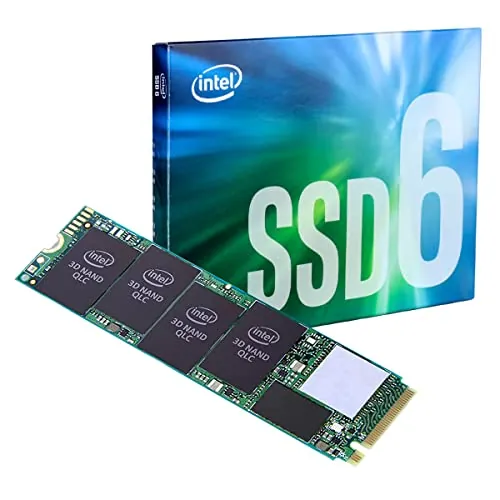
INLAND Professional 256GB SSD 5-Pack
- Five 256GB SATA SSDs in one package for multi-system upgrades.
Comparison
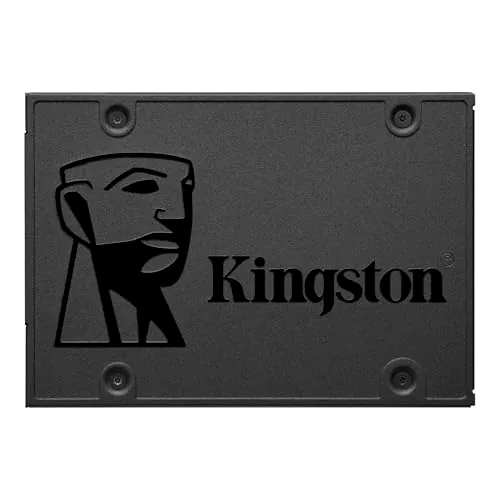
The INLAND Professional 256GB package and Kingston Q500 240GB are entry-level 2.5-inch SATA SSD options for upgrading compatible computers. Kingston is the better overall single-drive pick on the supplied scores for reliability, compatibility, and customer satisfaction, while INLAND makes more sense for buyers who need five drives and prioritize multi-system value.
#1 Overall Winner
Contender
Choose Kingston Q500 if you need one dependable 240GB SATA SSD for everyday PC or laptop use. Choose the INLAND five-pack if you are upgrading multiple compatible machines and accept more variable reliability feedback in return for a multi-drive package.
Overall winner
Depends on your needs
| Feature | INLAND Professional 256GB SSD 5-Pack | Kingston 240GB Q500 SATA3 SSD | Winner |
|---|---|---|---|
Package contents |
Five 256GB drives |
One 240GB drive |
INLAND Professional 256GB SSD 5-Pack |
Capacity per drive |
256GB |
240GB |
INLAND Professional 256GB SSD 5-Pack |
Form factor |
2.5-inch SATA |
2.5-inch SATA |
Tie |
Flash type |
3D TLC NAND |
TLC |
Tie |
Listed read speed |
Up to 520MB/s |
Up to 500MB/s |
INLAND Professional 256GB SSD 5-Pack |
Listed write speed |
Up to 430MB/s |
Not clearly listed in core specifications |
Depends |
Overall assessment |
Strong multi-drive everyday option |
Stronger single-drive overall option |
Kingston 240GB Q500 SATA3 SSD |
Reliability |
Mixed feedback |
Stronger supplied reliability assessment |
Kingston 240GB Q500 SATA3 SSD |
Compatibility |
Desktop and laptop listed |
PC and laptop listed; gaming-console listing |
Kingston 240GB Q500 SATA3 SSD |
Setup |
Easy-install feedback |
Straightforward internal installation |
INLAND Professional 256GB SSD 5-Pack |
Value |
Higher value assessment |
Strong single-drive value |
INLAND Professional 256GB SSD 5-Pack |
Customer satisfaction |
4.6/5; 4,669 reviews |
4.6/5; 9,746 reviews |
Kingston 240GB Q500 SATA3 SSD |
Warranty |
Three-year limited parts and labor |
Three-year warranty mentioned in a supplied review |
Tie |
Both drives are designed to make compatible systems more responsive than systems using mechanical hard drives. INLAND lists up to 520MB/s sequential reads and 430MB/s writes, while Kingston lists up to 500MB/s read speed; a supplied Q500 review describes 500MB/s read and 450MB/s write performance. In the broader supplied evaluation, Kingston has the higher performance and speed assessments. For ordinary boot, application, and light storage tasks, either can be suitable, but Kingston has the stronger evidence for consistently stable everyday performance.
INLAND has the slightly higher stated maximum sequential read figure, at up to 520MB/s versus Kingston's listed 500MB/s. It also specifies up to 430MB/s sequential writes and up to 55k/50k 4K random read/write IOPS. Kingston nevertheless has the stronger speed assessment in the provided scoring, supported by reviews that describe quick boots and responsive everyday operation. Actual results can vary with the system hardware, configuration, workload, and remaining free capacity.
Kingston is the clearer choice for reliability based on the supplied data. It has a substantially stronger reliability assessment, and review feedback focuses on stable operation over time. INLAND has many favorable reports, including some long-running deployments, but its summary also identifies early failures, occasional freezing, and Windows 10 detection issues. Buyers using either SSD for important data should maintain backups, but the available evidence favors Kingston for a single everyday drive.
Both products are intended for internal installation and are generally easy to use once fitted in a compatible system. INLAND has a slightly stronger usability and setup assessment, with numerous comments about simple installation and improved startup performance. Kingston also receives positive feedback for straightforward upgrades, though one review noted that screws were not included for a particular installation. The larger usability concern is INLAND's mixed compatibility feedback, including some Windows recognition reports.
Both products use the standard 2.5-inch internal SATA SSD format, so physical design is primarily about fitting a compatible bay or mounting position. Kingston provides more specific dimensions and weight in the supplied data. INLAND's design advantage is not physical styling but the five-unit package for repeated installations. For a single laptop upgrade, there is little practical design separation beyond confirming thickness, mounting hardware, and available SATA connections.
Kingston has the stronger build-quality assessment. Its listing provides a 41g weight and a 0.28-inch thickness, while reviews describe cool and stable daily operation. INLAND's SSD construction is shock resistant and designed to resist vibration and movement, but its supplied build assessment is more modest and one review characterizes the casing as lightweight plastic. Neither product is presented as a rugged external drive.
Both SSDs are shock resistant, which is an advantage over mechanical hard drives in systems exposed to movement. Kingston has the slightly stronger durability assessment and reviews that mention low heat and sustained daily use. INLAND is also described as resistant to shock, vibration, and movement, and some reviews report long service. However, its durability picture is less consistent because of reports of short-term failures and instability.
As internal 2.5-inch SSDs, both are compact and easy to transport before installation, but portability is not their primary purpose. Kingston lists a 41g weight and compact dimensions. INLAND's five-pack requires more storage space as a package but offers better practical portability for technicians or buyers carrying drives for several upgrades. Once installed, neither adds the vibration sensitivity of a mechanical drive.
These are both straightforward internal SATA SSDs rather than feature-rich storage products. INLAND's distinctive feature is its five-drive package, which can simplify multi-PC upgrades. It also lists 4K random performance ratings. Kingston is sold as a single TLC SATA drive for personal, business, multimedia, and gaming uses. Neither supplied listing establishes advanced management features, bundled migration software, or NVMe-level capability.
INLAND narrowly leads in the supplied setup assessment. Reviewers frequently describe it as easy to connect and a useful way to revive an older machine. Kingston is also a conventional internal SATA installation and receives positive upgrade feedback. In either case, users should prepare installation or cloning media, confirm whether mounting screws or adapters are needed, and ensure the system can accept a 2.5-inch SATA drive.
Kingston has the stronger compatibility assessment. It is listed for PC and laptop platforms, with a gaming-console compatible-device listing, while INLAND is listed for desktop and laptop use. Both require a compatible 2.5-inch SATA connection. INLAND's supplied review overview notes mixed compatibility and reports that some Windows 10 systems did not recognize the drive, so verifying BIOS support, cables, and drive-bay compatibility is especially important.
Both drives use SATA connectivity and are intended for internal installation in compatible computers. INLAND specifies a SATA III 6Gb/s interface, while Kingston lists SATA 3.0Gb/s and SATA 6.0Gb/s hardware connectivity. Kingston has the stronger connectivity and compatibility assessments, and its listing includes PC and laptop platforms plus a gaming-console compatibility entry. Check the host device's physical SATA connection and mounting arrangement before buying either model.
Both products have the low-noise, solid-state characteristics expected of SATA SSDs, and INLAND has the slightly stronger power-efficiency assessment. INLAND reviews mention acceptable power behavior and no overheating concerns, while Kingston reviews describe low heat during extended use. Neither listing provides comparable measured power-consumption figures, so the provided data does not support a major real-world efficiency distinction.
INLAND leads on the supplied value assessment because the listing contains five 256GB drives and is designed for economical multi-system replacement work. That does not automatically make it the best buy for every person. For a buyer who needs just one SSD, Kingston's stronger reliability, compatibility, customer-satisfaction, and brand-trust indicators may make it the more balanced purchase. Compare the required number of drives, usable capacity, system compatibility, and the cost of a potential replacement before deciding.
Kingston has the stronger brand-trust assessment in the supplied scoring. This aligns with review feedback that repeatedly describes the Q500 as stable and suitable for everyday laptop use. INLAND has a lower brand-trust assessment despite many satisfied buyers and a stated limited warranty. For buyers prioritizing confidence in a single boot drive, the available data points toward Kingston.
Both listings hold a 4.6/5 Amazon rating, but Kingston has 9,746 reviews compared with INLAND's 4,669 and receives the stronger customer-satisfaction assessment. Kingston feedback is consistently positive about speed and stable daily use. INLAND feedback strongly praises value, easy upgrades, and startup improvements, but it is more divided on drive recognition and reliability. The equal star ratings should therefore be read alongside the differing complaint patterns.
INLAND explicitly lists a three-year limited parts-and-labor warranty. For Kingston, a supplied review states that the Q500 has a three-year warranty, and Kingston receives a stronger warranty-support assessment. The provided information does not include detailed claim procedures, exclusions, or regional terms for either product. Buyers should verify the applicable warranty documentation and seller terms at checkout.
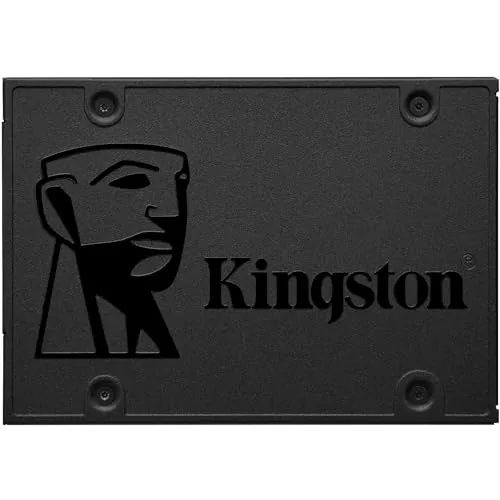
The Kingston Q500 240GB is the best overall option in this comparison. It has the higher overall result and stronger supplied assessments for reliability, compatibility, brand trust, and customer satisfaction. Its reviews consistently support its role as a straightforward, responsive upgrade for an older laptop or PC, particularly as an operating-system and everyday-use drive.
The INLAND Professional 256GB five-pack is still the better choice for a specific buyer: someone upgrading multiple SATA-equipped systems who values getting five drives at once. It offers slightly more capacity per drive, a marginally higher listed read speed, and a stronger value assessment. However, the more variable reliability and compatibility feedback means it is less reassuring as a single primary drive. Whichever model you choose, verify physical SATA compatibility, keep current backups, and match the modest capacity to your actual storage needs.
Overall winner
Depends on your needs
The Kingston Q500 is the stronger overall single-drive choice in the supplied scoring, particularly for reliability, compatibility, brand trust, and customer satisfaction. The INLAND package remains compelling when five separate 256GB SATA drives are genuinely needed, as it scores slightly higher for value and offers a practical multi-drive bundle.
Yes, provided each laptop supports a 2.5-inch SATA internal drive and buyers need multiple drives. Reviews frequently describe faster startup and a noticeable improvement over old mechanical hard drives. However, the provided feedback also includes Windows recognition issues and some early failures, so backups and compatibility checks remain important.
The available review feedback supports the Kingston Q500 as an operating-system and everyday-use drive. Customers describe faster boots, responsive daily laptop use, and stable operation. Its 240GB capacity is more suitable for an OS, applications, and lighter files than for large game libraries or extensive media storage.
The INLAND lists a slightly higher maximum sequential read rating at up to 520MB/s versus Kingston's listed 500MB/s. INLAND also specifies up to 430MB/s writes. A supplied Kingston review cites 500MB/s reads and 450MB/s writes, but buyer experience will vary with the host system, workload, and configuration.
Kingston has the stronger reliability score and its review summary is consistently positive about stable daily operation. INLAND also has many positive long-term reports, but its supplied review overview specifically notes early failures, occasional freezes, and recognition problems. Neither outcome removes the need for regular backups.
INLAND receives the higher value score and gives buyers five drives, making it the more relevant option for multiple upgrades or deployments. For someone who needs only one drive, Kingston's stronger reliability, compatibility, customer-satisfaction, and brand-trust indicators may represent the more balanced value proposition despite its single-drive format.
Both are 2.5-inch SATA internal SSDs intended for compatible computer installations. INLAND lists desktop and laptop compatibility, while Kingston lists PC and laptop platforms. Before ordering, verify that the device has a compatible SATA connection, space for a 2.5-inch drive, and any required mounting hardware or cable.
The supplied INLAND feedback recommends it mainly for consumer and light-to-moderate workloads, not sustained write-intensive tasks such as scratch-disk use. Kingston is also presented as a basic SATA SSD for everyday use, with one review noting that larger small-file copies can be slower. Neither data set establishes these as specialist workstation drives.
Check our rankings and expert guides to find the best electronics products for your goals.